Finally, the redesign you’ve been working on for months has launched. A few weeks later you proudly pull together a report, ready to show everyone that all the pain and anxiety was worth it. However, as you begin to compare metrics you start to realize the hero’s journey you wanted to tell may actually be a tragedy.
Perhaps traffic is down since launch. The major decline potentially from natural search. Worse yet, maybe you’re starting to get questions like “Why aren’t we showing up for [insert random keyword here] anymore?!” that you don’t have a good answer for yet.
…Redesigns.
Natural Search Traffic is Down After our Redesign, Now What?
While most guides talk about prepping for your website redesign, I noticed few give tips to those trying to recover from the aftermath of a redesign that’s negatively impacted their SEO efforts. Whether you’re a new employee being being tasked with figuring out what broke after our redesign or the one being held responsible for it, this multi-part series is for you.
The question you’re likely asking is “Where do I even start?”
Investigation #1: Google Search Console
The first question to ask is:
- Do we have Google Search Console (formerly Webmaster Tools) setup on the new site?
Google Search Console is a free SEO tool from Google that provides an incredible amount of behind-the-scenes SEO data that is directly from the source which is invaluable for evaluating your site’s technical SEO health.
Investigation #2: Review your Robots
The second question to ask is:
- Did we launch our redesign with the correct Robot.txt and Meta Robots tags?
While this may seem obvious, it’s common during a redesign to use a staging site to test and review your redesign prior to launch. To prevent these staging sites from being crawled by search engines, many redesigns add restrictive Robots.txt and Meta Robots tag parameters to instruct search bots not to index a staging site.
While rare, it’s not unheard of that these same restrictive parameters get overlooked when your redesign launches. As you may imagine, this can have disastrous consequences.
Validate your Robots.txt are Correct
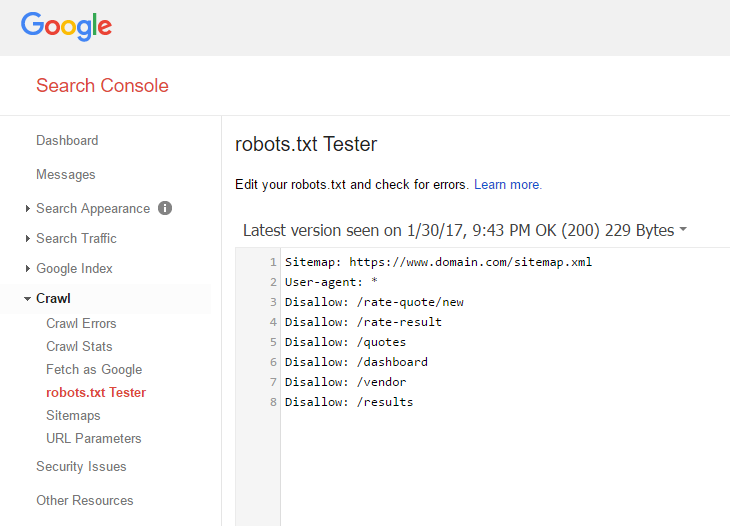
Ensure that your robots.txt (usually located at www.yourdomain.com/robots.txt) meets the correct Robots.txt criteria for bots. You can do this by referencing the Moz Robots.txt & Meta Robots Guide or using the Google Search Console Robots.txt Tester.
Validating your Meta Robots tags:
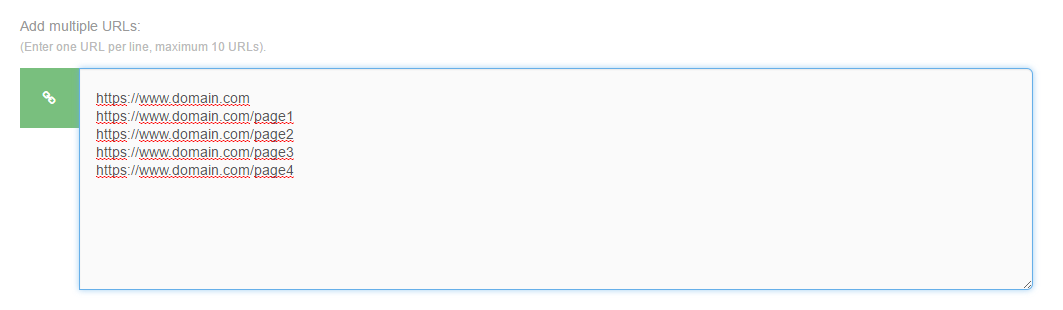
Ensure that that pages on your site that you want indexed don’t have an incorrect meta tag like <meta name=”robots” content=”noindex”>. You can do this manually by viewing the source of each page, by installing and using SEO toolbar (Moz Toolbar) or using a bulk tool like SEO Reviewtools Robots Checker.
Investigation #3: Review your Redirects
The third question to ask is:
- Did our redesign change the URL structure of the site in any way?
No. Redirects are likely not to blame.
Yes. (even slightly). Start your research there. There’s a reason every SEO checklist for website redesigns mention redirects (301s, 302s, 307s, & Meta Redirects). Very few technical SEO elements create the collateral search damage that broken or incorrect redirects have post-redesign.
Validate your Redirects are Correct
301s, 302s/307s and Meta Redirects: Before starting, it’s important to have a firm grasp on the different kinds of redirects and how they impact SEO. Moz has a great guide Redirects and on the differences between each, explaining how and when they should be used.
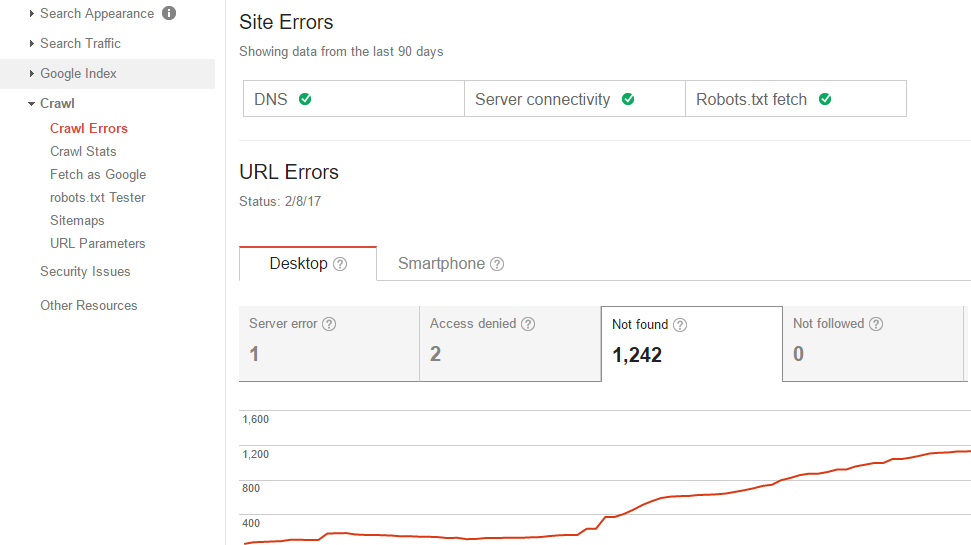
Search Console Crawl Errors Report: The first sign that broken or incorrect redirects may be negatively impacting your organic traffic and rankings can be found by checking your Google Search Console Crawl Errors report. Note your redesign launch date and see if there’s been an increase in 404 errors. If so, this can give you a great starting list of old URLs and where they’re being linked from. Cross check these against your current URLs to see if these are URLs that need to be 301 redirected to their locations or if they no longer exist.
Note on 404 errors: Keep in mind, 404 errors an expected part of websites and aren’t always a sign that something is wrong in cases where it’s an actual page that no longer exists in any form on your website.
Double-check preferred versions of URLs: Another common redirect mistake in redesigns is overlooking simple default redirects that can lead to rampant content duplication These include:
- Preferred URL Redirects: 301 redirects to your preferred subdomain (www.domain.com or domain.com), HTTP/HTTPS version, directory structure (/page/, /page, /page.html, etc) and URL case-sensitivity (/page/, /PAGE/, /Page/, etc). Depending on the CMS or server setup you use, making sure that there aren’t duplicate versions of each page simply by changing any of the above is a rare but often critical aspect that can be overlooked.
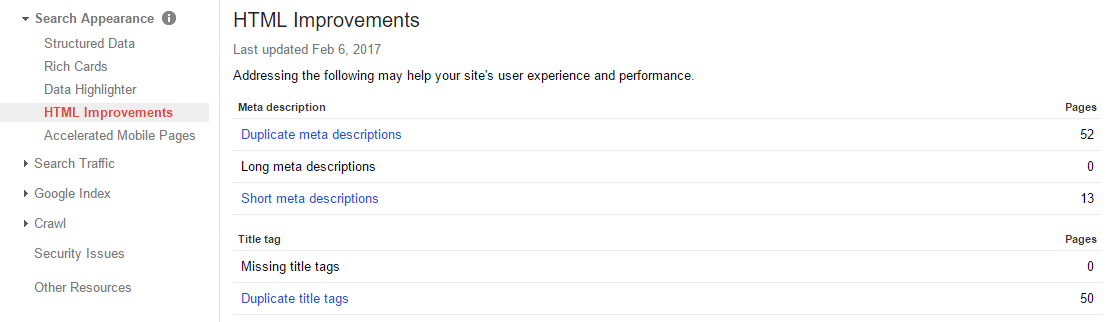
- Duplicate Title/Meta Descriptions in Search Console: A great way to catch hints of duplication of URLs is by checking the Google Search Consoles HTML Improvements. Often these are simple mistakes of using the same Title or Meta Description on multiple pages. However, after a redesign, it can be a quick way to catch if the same page is being crawled on multiple URLs due to a lack of redirects or proper canonical tags which I’ll cover more in-depth in a future blog post.
The above should give you a good start. Over the next few weeks, I’ll be adding additional guides on canonical tags, on-page SEO elements and more. Be sure to check back.



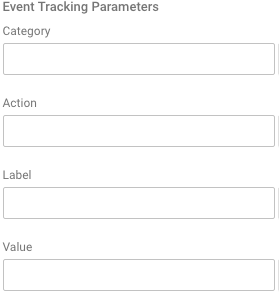 Do not, under any circumstance, ever use campaign tracking variables to track internal campaigns. Your internal ads, upsell areas, sliders, etc should not have any “utm” variables attached the the URL. Instead you should be using Event Tracking. Google Analytics Event Tracking tags allow for three fields (well, technically 4 if you count ‘value’) that you can enter any text you’d like. These fields are called Category, Action and Label (optional). So for instance, maybe your Category is “Internal Advertising” and then your Action is “300×250 Red Upsell Ad” and your Label could be {{Page Path}} (notes what page the visitor was on when they clicked. These events are tracked in a separate way and do not overwrite the previous Campaign Tracking Variables used to enter the site, therefore you can even attribute these clicks to the different campaigns you are tracking upon site entry.

